Claim Status Automation 8 min read
AI Claim Status Automation: A Practical AR Follow-Up Workflow
Key takeaways
- AI claim status automation is most useful when it converts payer responses into prioritized next actions—not when it simply retrieves more data.
- Eligibility, claim status, denial, and AR workflows should share one exception-routing process so accounts do not stall between teams.
- Measure net days in AR with aging distribution, denial trends, queue age, and collector touches to understand what is actually improving.
- Start with one high-volume payer workflow, validate the results, and expand only after the exception rules are reliable.
AR follow-up often looks busy without moving the right claims. Collectors switch between payer portals, phone calls, spreadsheets, and billing systems just to answer a basic question: what happened to this claim, and what should we do next?
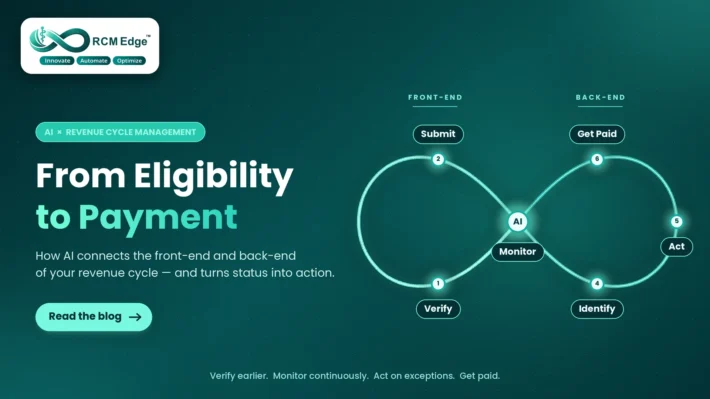
AI claim status automation can reduce that research burden by gathering available claim-status information, interpreting the response, and routing exceptions to the correct work queue. The objective is not to replace experienced billing staff. It is to give them a cleaner, prioritized list of accounts that need human judgment.
What is AI claim status automation?
Claim status automation uses electronic payer connectivity and workflow rules to monitor submitted claims without requiring a biller to research every account manually. In the United States, the HIPAA-adopted X12 276/277 transaction supports electronic claim-status inquiries and responses. The Centers for Medicare & Medicaid Services notes that electronic 276/277 processing can eliminate individual manual queries or calls and can support automatic posting of status information to patient accounts.
AI adds value after retrieval. It can normalize responses, identify likely blockers, group similar exceptions, recommend a next action, and place the account in a payer- or workflow-specific queue. Learn more about the underlying claim status automation workflow and the payer connections available through RCM Edge’s claim-status payer network.
Why manual AR follow-up creates avoidable delays
High AR days rarely come from one failure. They usually reflect several small delays across the revenue cycle:
- Claims are checked too late. Accounts remain untouched until they enter an aging bucket or appear on a static report.
- Every claim receives the same effort. Staff research paid, pending, denied, and incomplete claims even though each requires a different action.
- Payer responses are not converted into tasks. A status may be available, but ownership and the next follow-up date remain unclear.
- Front-end issues reach the back end. Inactive coverage, member mismatches, and missing authorization details create rework after submission.
- Denial intelligence is disconnected. Teams correct individual denials without feeding the pattern back into eligibility, authorization, coding, or claim-submission workflows.
This is why AR improvement needs more than faster calling. It requires a connected workflow from insurance eligibility verification through claim monitoring, denial review, and payment follow-up. Use the manual vs automated claim status checks comparison to decide which inquiries can be standardized and which exceptions still need staff judgment.
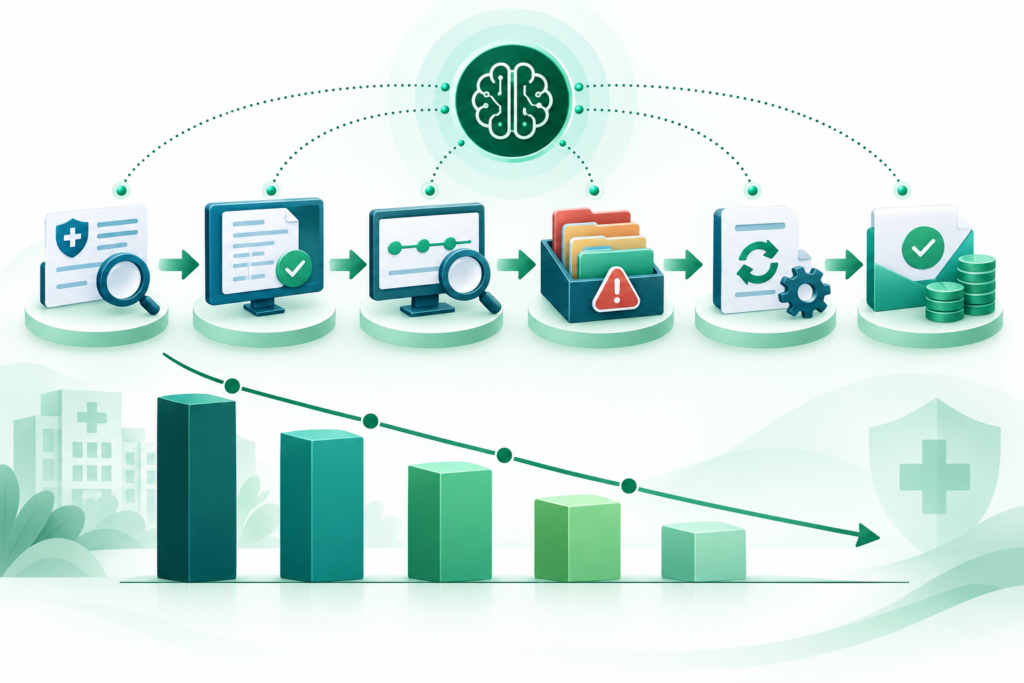
A practical automated AR follow-up workflow
| Workflow stage | What automation handles | Where staff add value |
|---|---|---|
| 1. Verify front-end data | Checks available eligibility and benefit information before service or submission. | Resolve coverage exceptions and confirm unusual benefit details. |
| 2. Monitor submitted claims | Runs electronic status checks on an appropriate schedule and records responses. | Review claims that lack a usable response or require payer escalation. |
| 3. Classify the response | Separates paid, pending, denied, rejected, and no-response accounts. | Validate ambiguous status information and high-risk accounts. |
| 4. Route exceptions | Assigns owner, urgency, value, aging bucket, and recommended next action. | Work the prioritized queue rather than rebuilding each claim’s history. |
| 5. Resolve and learn | Tracks outcomes and groups recurring payer or denial patterns. | Correct root causes and refine workflow rules. |
The important design principle is exception-based work. Automation handles repeatable research; billing specialists concentrate on claims where documentation, payer communication, correction, or appeal is required.
How this workflow can help reduce AR days
HFMA’s MAP Keys describe net days in accounts receivable as a trending indicator of overall revenue-cycle performance. The measure is useful, but it should not be viewed alone. An organization can temporarily lower its overall number while older, difficult accounts continue to accumulate.
Claim status automation supports AR improvement through four operational changes:
- Earlier visibility: teams can identify stalled, rejected, or denied claims before they age into a later bucket.
- Fewer unproductive touches: paid or appropriately pending claims do not receive the same manual follow-up as actionable exceptions.
- Clearer prioritization: value, age, payer response, timely-filing risk, and next action can be considered together.
- Closed-loop improvement: recurring eligibility, authorization, coding, and denial issues become visible to upstream teams.
For a broader operational playbook, see how to reduce days in AR. To evaluate platforms and implementation requirements, use the healthcare AR automation software buyer’s guide.
Metrics to track before and after automation
Establish a baseline before changing the workflow. Track the same definitions and data sources over time so improvements are comparable.
- Net days in AR: the overall trending measure defined by your finance and revenue-cycle reporting process.
- AR aging distribution: the percentage and value in 0–30, 31–60, 61–90, and 90+ day buckets.
- Queue age: how long an actionable exception waits before the next touch.
- Manual touches per resolved claim: portal checks, calls, and handoffs required to reach resolution.
- No-response and unresolved rates: claims that lack usable status information or an assigned next action.
- Denial and clean-claim trends: indicators that reveal whether front-end corrections are reducing downstream rework.
Use RCM performance insights to connect operational activity with claim, denial, and AR trends instead of relying on a single headline metric.
Quick diagnostic: where is your AR workflow slowing down?
- Collectors cannot see the last payer response and next action in one place.
- High-value or timely-filing-risk claims are mixed into general worklists.
- Staff repeatedly check claims that are still within a normal payer-processing window.
- Eligibility and denial patterns are reviewed separately from AR follow-up.
- Management measures completed tasks but not queue age or resolution outcomes.
If several of these are true, start with workflow visibility and exception routing before adding more follow-up volume.
A 30-day pilot plan for AR follow-up automation
Week 1: Define the target workflow
Select one payer group, claim type, or aging segment with enough volume to measure. Document the current data sources, touch points, ownership rules, and baseline metrics.
Week 2: Configure statuses and exceptions
Map payer responses to clear categories and next actions. Decide which outcomes can be recorded automatically and which must be reviewed by staff.
Week 3: Run in parallel
Compare automated results with the team’s existing process. Sample outputs, verify routing accuracy, and refine rules before allowing the workflow to influence a larger queue.
Week 4: Measure and expand carefully
Review queue age, manual touches, unresolved accounts, and exception accuracy. Expand to another payer or segment only when the first workflow produces reliable, explainable results.
Where current RCM Edge availability fits
RCM Edge currently offers two live workflow areas: Eligibility Verification across 566 payer connections and Claim Status Automation across 468 payer connections. Prior Authorization, Denial Management, and Accounts Receivable modules are in development.
- Eligibility Verification supports repeatable eligibility and benefits checks through available payer connections.
- Claim Status Automation helps retrieve and organize claim-status information, normalize available responses, and route exceptions for review.
For an AR follow-up pilot, evaluate the live Claim Status workflow against your payer mix, response coverage, exception rules, and staff process. Treat roadmap modules as future scope rather than current implementation features.
For product evaluation, review the Claim Status Automation software page and the supported claim-status payer connections. This article describes a general workflow design; references to AI do not establish that RCM Edge currently provides machine-learning predictions, fraud detection, autonomous appeals, or a complete AR collections module. Confirm each required capability and integration during a scoped demo.
For the wider workflow, read how eligibility and claim-status automation connect across the revenue cycle.
Frequently asked questions
Can claim status checks be automated?
Yes. Electronic 276/277 transactions allow providers and billing organizations to request and receive claim-status information. Automation can schedule those checks, record responses, and route exceptions for review.
Does AR automation replace medical billers?
No. A practical design removes repetitive research and organizes work. Staff still handle ambiguous payer responses, documentation, corrections, appeals, escalations, and other judgment-intensive tasks.
Which AR workflow should be automated first?
Start with a repeatable, high-volume workflow where inputs and expected outcomes are measurable. Claim-status research for a defined payer group is often easier to validate than a broad end-to-end rollout.
How quickly should an organization expect lower AR days?
There is no universal timeline. Results depend on payer mix, specialty, claim age, denial inventory, workflow adoption, and the quality of existing data. Measure leading indicators such as queue age and manual touches before attributing changes in net days in AR to automation.
Turn claim status into the next best action
The most valuable automation does not create another dashboard for staff to watch. It turns payer information into a prioritized, accountable workflow. That is how claim-status automation can help reduce repetitive work, surface delays earlier, and give billing teams more time for complex revenue recovery.
Authoritative references: CMS Claim Status Request and Response; CMS HIPAA Eligibility Transaction System; HFMA MAP Keys.