
Claim Status Automation 8 min read
Manual vs Automated Claim Status Checks: Which Is Better for RCM Teams?
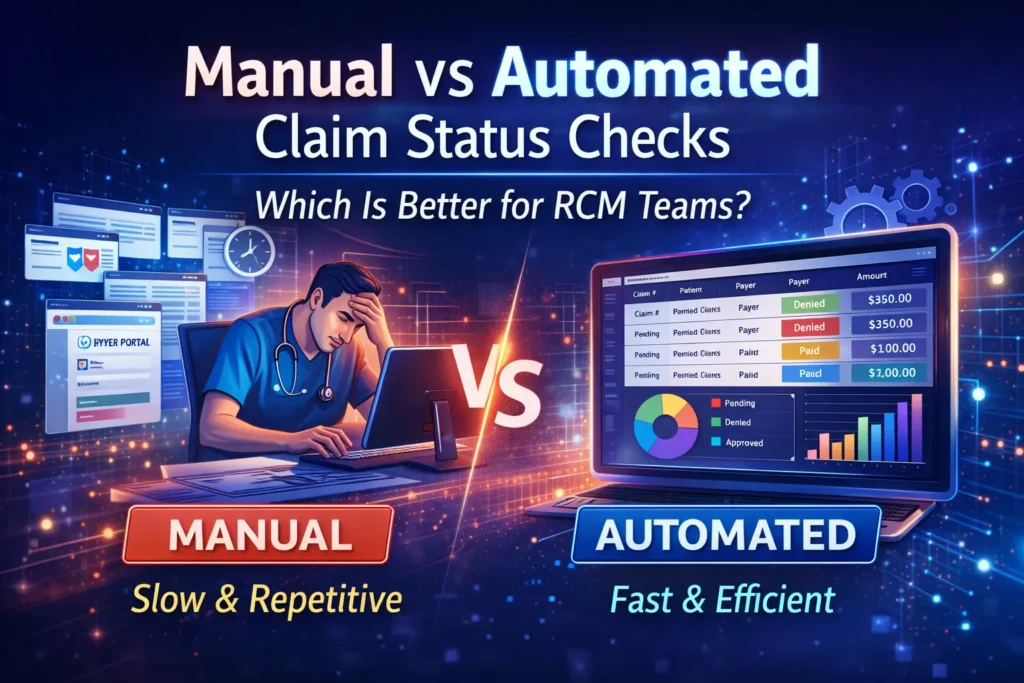
Manual claim status checks rely on staff to open payer portals, search for claims, record responses, and decide the next action. Automated claim status checking handles repeatable inquiries in batches, organizes payer responses, and routes exceptions to people. For RCM teams with recurring follow-up volume, automation is usually the more scalable operating model—but manual review still matters for exceptions, payer-specific issues, and judgment-based follow-up.
This guide compares manual vs automated claim status checks across speed, coverage, consistency, exception handling, auditability, security, and cost. It also explains how the HIPAA 276/277 transaction fits into the workflow and gives you a practical pilot scorecard.
Manual vs Automated Claim Status Checks: Quick Answer
| Decision factor | Manual claim status checks | Automated claim status checks |
|---|---|---|
| Best fit | Low volume, unusual cases, and payer exceptions | Recurring, rules-based follow-up across many claims |
| Work pattern | Staff search one claim or portal at a time | Software submits or retrieves eligible inquiries in batches |
| Response handling | Staff interpret and re-enter each result | Responses are normalized into work queues; staff handle exceptions |
| Consistency | Depends on individual schedules and documentation habits | Uses defined schedules, rules, and status mappings |
| Visibility | Often spread across portals, notes, and spreadsheets | Centralized status and next-action views |
| Control | Direct human control for every inquiry | Human oversight at configuration and exception stages |
| Measurement | Requires disciplined manual logging | Can capture volumes, outcomes, exceptions, and handling activity |
The right answer is rarely “automate every claim.” A stronger design automates predictable, repeatable checks and keeps people responsible for exceptions and actions that require payer communication or clinical and billing judgment.
What Is Claim Status Checking?
Claim status checking is the process of asking a health plan where a submitted claim is in its lifecycle and receiving a response that helps the billing team decide what to do next. Typical outcomes include received, pending, rejected, denied, paid, or a request for additional information.
For electronic exchange, the Centers for Medicare & Medicaid Services (CMS) identifies the ASC X12N 276 as the Health Care Claim Status Request and the 277 as the corresponding response. CMS also explains that the adopted standard applies to HIPAA-covered entities, not only Medicare and Medicaid.
A 276/277 response is not the same as resolving the claim. It supplies status information. Your workflow still needs to interpret the response, assign ownership, perform the required follow-up, and document the outcome.
How Manual Claim Status Checks Work
In a manual workflow, a biller usually selects claims from an aging report, signs in to a payer portal or uses another payer channel, searches for each claim, reads the response, updates the practice-management or billing system, and creates the next follow-up task.
- Choose claims due for follow-up.
- Open the payer’s approved status channel.
- Enter the claim and provider identifiers.
- Read and interpret the returned status.
- Record the result and required action.
- Escalate or work the exception.
This method can be appropriate for a small number of unusual claims. At scale, the repeated navigation, searching, interpretation, and documentation consume capacity that could be used to resolve exceptions.
The 2024 CAQH Index reported that a manual medical claim-status inquiry conducted by phone took providers and staff an average of 25 minutes in its 2023 data. That is an industry estimate, not a promise of savings for any particular organization. Your own touch time, payer mix, claim volume, and exception rate should drive the business case.
How Automated Claim Status Checking Works
An automated workflow selects eligible claims using defined rules, sends or retrieves status inquiries through supported payer connections, normalizes the returned information, and presents exceptions and next actions to the billing team.
- Select: Define which claims are eligible based on age, payer, status, balance, or other approved criteria.
- Check: Run inquiries through supported electronic or payer-specific workflows.
- Normalize: Map different payer responses into consistent operational categories.
- Prioritize: Route claims that need attention into an exception queue.
- Act: Let staff work documentation requests, rejections, denials, and payer follow-up.
- Measure: Review inquiry volume, response coverage, exceptions, action completion, and aging movement.
CMS recommends the electronic 276/277 process for Medicare claim-status work because providers can generate inquiries and post responses without entering every request manually. The exact behavior and response timing still depend on the payer, connection, workflow configuration, and software.
Seven Differences That Matter to RCM Teams
1. Throughput and staff capacity
Manual checking ties each inquiry to staff time. Automation separates repeatable inquiry work from exception resolution, allowing staff to spend more of the day on claims that need intervention.
2. Payer and workflow coverage
No vendor should be evaluated on a large headline number alone. Confirm that your highest-volume payers, lines of business, identifiers, and response methods are supported. RCM Edge currently supports Claim Status through 468 payer connections; verify your specific payer mix during evaluation.
3. Response normalization
Payer responses are useful only when the team can understand and act on them. Ask how a platform maps payer-specific wording and codes into consistent statuses, reason categories, and next-action queues.
4. Follow-up timing
Manual schedules can vary by user and workload. Automation can apply a defined cadence, but more frequent checking is not automatically better. The cadence should reflect payer behavior, claim age, value, timely-filing risk, and the team’s ability to act on exceptions.
5. Exception ownership
A status dashboard alone does not improve collections. The operating model must assign owners, due dates, and escalation paths for pending records, documentation requests, rejections, and denials.
6. Auditability and security
When electronic protected health information is involved, evaluate role-based access, authentication, activity records, data handling, and incident procedures. The HHS HIPAA Security Rule summary describes access controls and audit controls among the technical safeguards for regulated entities. A software purchase does not transfer your organization’s compliance responsibilities.
7. Measurement and total cost
Compare loaded staff time, implementation effort, integrations, maintenance, exception handling, and recurring platform cost. Do not base the decision on a generic savings percentage. Establish a baseline and measure the same cohort before and during a controlled pilot.
When Manual Claim Status Checking Still Makes Sense
- The claim volume is low and irregular.
- The payer or line of business is not supported by the automated connection.
- The case requires interpretation, documentation, negotiation, or a phone conversation.
- A portal change or connection failure requires a controlled fallback.
- The organization is validating results during a pilot.
The goal is not to remove people from claim follow-up. It is to reserve their attention for work where judgment and action create value.
How to Run a Claim Status Automation Pilot
- Choose a bounded cohort: Select defined payers, claim ages, locations, and claim types.
- Capture the baseline: Measure inquiry volume, staff touch time, response rate, exception rate, and time to next action.
- Confirm payer coverage: Test the connections that represent your real claim volume.
- Validate mappings: Compare returned statuses and next actions with your current system of record.
- Define exception ownership: Assign queues, service levels, and escalation rules before increasing volume.
- Compare like for like: Evaluate the same metrics for the baseline and pilot cohorts.
- Decide based on evidence: Expand only when coverage, accuracy, staff adoption, and operational outcomes meet your thresholds.
For a broader evaluation framework, use our Claim Status Automation Software page to review workflow, payer coverage, and demo options.
Where RCM Edge Fits
RCM Edge Claim Status is designed for repeatable payer-status work across supported connections. It helps teams run bulk claim checks, organize returned statuses, and focus staff on exceptions and next actions. Current Claim Status coverage is 468 payer connections. Because payer availability and workflows can change, confirm your required payer list and use case during a demo.
Frequently Asked Questions
What is the difference between a 276 and 277 transaction?
The 276 is the electronic claim-status request; the 277 is the response. CMS identifies ASC X12N 276/277 Version 5010 as the adopted health care claim-status standard.
Does automated claim status checking eliminate manual follow-up?
No. Automation can reduce repetitive inquiry work, but people still need to resolve exceptions, supply documentation, correct errors, communicate with payers, and make judgment-based decisions.
How should an RCM team compare automation vendors?
Evaluate coverage for your actual payer mix, supported methods, response normalization, exception routing, integrations, access controls, auditability, implementation effort, support, and total cost. Validate the workflow with a bounded pilot.
What metrics should a claim status automation pilot track?
Track eligible claims, successful responses, unsupported or failed inquiries, staff touch time, exception volume, time to next action, aging movement, and user adoption. Use the same definitions for the baseline and pilot.
Official Sources